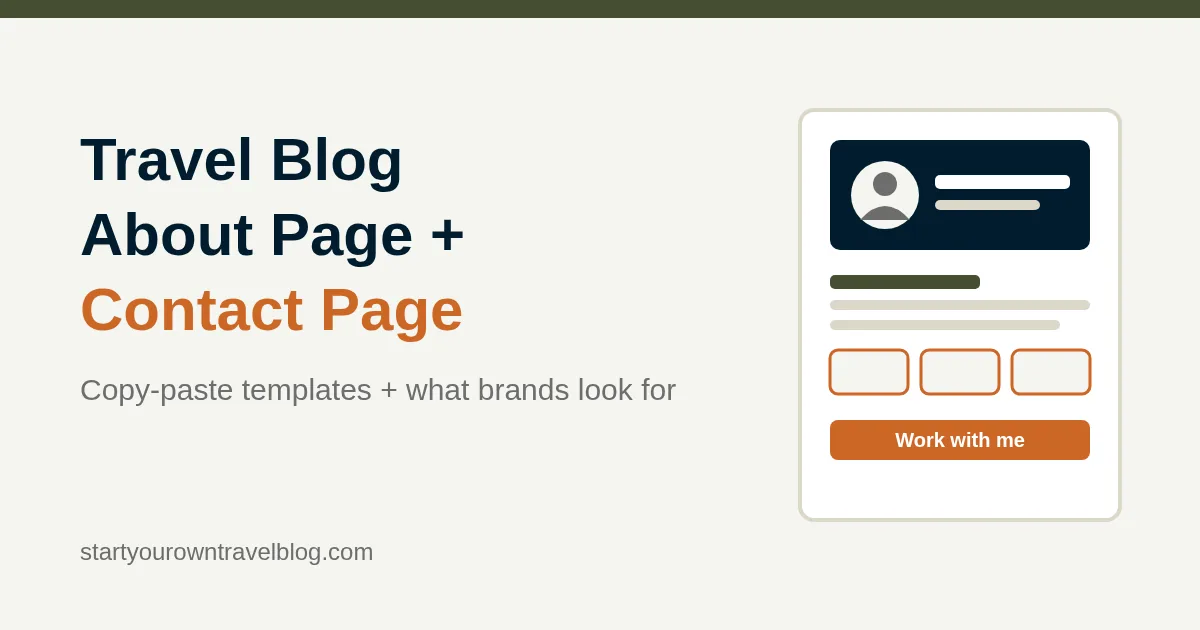
Travel Blog About Page and Contact Page (Templates)
On this page
Right, let’s get one thing out of the way first. Your travel blog About page has one job, and it’s not the one most people think. It has to tell a total stranger, in under a minute, who you are, what your blog helps them do, and why they should trust you. It is NOT your autobiography. Open with the reader’s problem, introduce yourself in the second paragraph, show proof (trips, years, a photo of your actual face), and finish with what to read next and how to reach you. The Contact page is even simpler: one short paragraph, one form or email address, and a line about what you will and won’t reply to. Below you’ll find two full copy-paste templates with placeholders, plus the bit brands and PR people actually scan for when they’re deciding whether you’re worth an email.
Key takeaways
- Your About page is usually the second most-visited page on a new blog. Write it the week you launch, not “later”. Later never comes.
- Structure: reader first, you second, proof third, next step last. Copy the template below and fill in the brackets.
- Use a real photo of your face, your real first name, and specific numbers (countries, years, trips). Vague bios get trusted by nobody: not readers, not Google, not brands.
- Brands want: niche clarity, who your audience is, a “work with me” line, a way to contact you, and links to your socials. Give them all five in one scroll.
- The Contact page needs a working form (TEST it), an email address for press, and a sentence on response time. Under 150 words. Done.
- Both pages go in your main menu and footer, and both should link back to your best posts.
Why the About page matters more than you think on a travel blog
Whenever I open analytics on a client’s travel blog, the About page is almost always in the top three pages by views, right behind the homepage and whichever post happens to be ranking that month. Here’s what’s happening: someone lands on a post from Google, decides they like the writing, and clicks “About” to find out who they’ve been listening to. If that page is a placeholder saying “Coming soon”, or a 100-word paragraph with no photo, they’re gone… and you’ve just lost a subscriber you were thirty seconds away from earning.
And it’s not just casual readers. Three other lots of people care about this page, a LOT:
- Google. Google’s quality guidelines bang on about experience, expertise, authoritativeness and trust. An About page with a real name, a real face and real credentials is the most direct way a small site shows any of that. It’s also where the Person schema Yoast generates points to, so it’s doing quiet SEO work for you.
- Brands and tourism boards. Before anyone offers you a press trip or a paid campaign, someone junior at an agency opens your About page for exactly one minute. What they need to find is covered further down.
- Other bloggers and journalists. Guest post invites, podcast interviews and quotes all start with someone checking who on earth you are. No page, no invite.
Still at the “I have a domain and nothing else” stage? No worries. The full step-by-step guide to starting a travel blog gets you to a live WordPress site first. Come back here for the two pages every blog needs on day one.
What to put on a travel blog About page (section by section)
The mistake nearly everyone makes is starting with themselves: “Hi! I’m Priya and I’ve loved traveling since I was six.” Lovely. The reader doesn’t care yet. They care about whether this blog will help THEM. So the order is: their problem, your promise, then you.
| Section | What it says | Length | Common mistake |
|---|---|---|---|
| Hero: photo + one line | Your face, your name, what the blog helps people do | 1 sentence | Sunset photo with your back to the camera |
| Who this is for | The reader’s situation and what they’ll find here | 2–3 sentences | Starting with your childhood instead |
| Who I am | Name, where you’re based, how you travel, why you write | 3–4 sentences | 800 words of life story |
| Proof | Numbers: countries, years, trips, anything checkable | 3–5 bullets or stat boxes | “Passionate about travel” (not proof) |
| How I make money | One honest paragraph on affiliates, ads, sponsorships | 2–3 sentences | Hiding it; readers trust disclosure |
| Work with me | What you offer brands, link to Contact | 2–3 sentences | Leaving brands to guess your niche and audience |
| Start here | Your 3–5 best posts, linked | A short list | No links, dead end |
| Contact | Email or button to Contact page, social links | 1–2 lines | No way to reach you at all |
Travel blog About page template (copy and paste)
Create the page at Pages → Add New Page, title it “About” (the slug will be /about/), and paste this in. Replace every bracket. Keep the headings as H2s so the page stays scannable; delete any section you genuinely can’t fill yet, but come back to it, promise me. Not traveling much right now? The proof section still works: local knowledge, professional background and years of planning trips all count. The post on this site about running a travel blog when you’re not traveling has loads more angles.
The About page template
[Your photo: a clear, friendly shot of your face, ideally somewhere recognizable from your niche. Not a sunset. Not sunglasses.]
Hi, I’m [First Name]. I help [type of traveler] [do the thing] without [the pain point].
H2: If you’re [reader situation], you’re in the right place
Planning [type of trip] and drowning in [conflicting advice / generic listicles / forum threads from 2019]? This blog is where I write down exactly what worked for me on [number] trips to [region/type of destination]: the [thing readers want: real costs / kid-friendly routes / vegan restaurants / accessible hotels], the mistakes, and the stuff nobody puts in the brochures. Everything here is first-hand. If I haven’t been, I say so.
H2: Who I am
I’m [First Name], a [job/role or one-line identity] based in [city, country]. I’ve been [traveling in this way / visiting this region / doing this niche] since [year], which adds up to [number] countries, [number] trips, and [one specific, slightly odd detail: 14 overnight trains, 3 lost passports, every night market in Penang]. When I’m not traveling I [one line about normal life: work as a nurse, run a small bakery, chase two toddlers]. I started [Blog Name] in [year] because [one honest sentence: I couldn’t find a single guide that told me what things actually cost / friends kept asking for my itineraries].
H2: Why you can trust what’s here
- [Number] countries and [number] trips since [year], all self-funded unless I say otherwise.
- [Relevant credential or background: former tour guide / registered dietitian / speak fluent Spanish / lived in Japan for 3 years.]
- Every price on this site has a month and year next to it, and I update the popular posts [every year / each season].
- [Any press, features or quotes, once you have them: “Quoted in [publication]” or “Featured by [tourism board]”.]
H2: How this blog makes money
[Blog Name] is free to read. Some links are affiliate links, which means if you book through them I earn a small commission at no extra cost to you. I only recommend things I’ve used, and I’ll always say when a trip was hosted. You can read the full disclosure if you’re curious. [Delete or adjust once you add ads or sponsorships.]
H2: Work with me
I work with [types of brands: tourism boards, family-friendly hotels, outdoor gear companies] whose products genuinely fit [my audience: budget travelers in their 20s and 30s / families with kids under 10 / solo women over 50]. My readers are mostly [location, age range, what they’re planning], and they come here [via Google / Pinterest / email] when they’re actively planning a trip. For press trips, sponsored content, photography or freelance writing, email [[email protected]] or use the [contact page]. [Media kit available on request.]
H2: Start here
New to the blog? These are the posts readers find most useful:
- [Your best itinerary or guide, linked]
- [Your best budget or costs post, linked]
- [Your best “mistakes” or honest review post, linked]
H2: Say hello
Questions about a trip I’ve written about? Email [[email protected]] or [contact form link]. I read everything and reply to most within [a few days]. You can also find me on [Instagram] / [Pinterest] / [YouTube]. [Optional: Want the packing list / itinerary spreadsheet I use? Join the email list below.]
That’s it. Filled in, it runs 450–650 words. Once you’ve written a few posts, swap the “Start here” placeholders for real links and drop in your actual best numbers. The page should change every six months or so as your blog grows; it’s a living thing, not a plaque. Want the signature look (logo, colors, a consistent headshot style) sorted at the same time? The logo and branding on a $0–$50 budget post covers it.
What brands and tourism boards look for on a travel blog About page
I built and maintained sites for travel blogger Johnny Ward (onestep4ward.com) for years, and one thing became obvious watching the brand inquiries roll in: the people vetting bloggers are busy, and they check a short list. They do NOT read your life story. They look for specific signals in roughly this order, and if any are missing, they close the tab and move on to the next blog on their spreadsheet. Harsh, but that’s how it works.
| What they check | Why it matters to them | Where to put it |
|---|---|---|
| Clear niche in one sentence | They need to match you to a campaign brief fast | Hero line and first H2 |
| Who your audience is | They’re buying access to your readers, not to you | “Work with me” section: location, age, what they’re planning |
| A real name and face | Anonymous blogs are a compliance and reputation risk | Photo at top, name in the first line |
| Evidence you actually travel | Fabricated travel content is a known problem | Proof bullets with numbers; own photos across the site |
| Contact method for press | If they can’t reach you in 10 seconds, they won’t | Email address on About and Contact; “Work with me” button |
| Social links | They cross-check reach and content quality | Icons in the header/footer plus a line in “Say hello” |
| Disclosure and professionalism | Regulators require sponsored content be labeled | “How this blog makes money” section, linked disclosure page |
| Media kit or rate card | Saves them an email round-trip | “Media kit available on request” until you have traffic worth showing |
A quick word on the media kit: don’t make one until you’ve got numbers you’d be comfortable saying out loud. “1,200 monthly readers, 60% from the US and UK, 80% via Google search” is a perfectly good line for a small, focused blog, and it’s far more useful to a brand than a vague “growing community”. Pull those figures from GA4 once it’s running; the GA4 and Search Console setup guide shows exactly which report to read. And before you start pitching anyone, read how travel blogs actually make money, because sponsorships are usually NOT the first money that shows up. Honest truth.
How to write a travel blog Contact page
The Contact page is short and functional, and rule number one is that it must actually work. I’ve lost count of the client sites where the contact form had been silently failing for months because the hosting company changed how email sends. Nobody noticed. Test it the day you publish, and again every few months.
Which contact form to use
Honestly? Any of the well-known free WordPress form plugins will do the job: WPForms Lite, Contact Form 7, Fluent Forms or Forminator. Don’t spend an evening comparing them. My advice for a new travel blog: pick the lightest one, build a form with exactly four fields (name, email, subject, message), and switch on the plugin’s spam protection. Don’t load the form on every page; embed it only on the Contact page, because form scripts slow down every other page for no reason, and speed is a ranking factor via Core Web Vitals. The essential plugins post on this site explains which plugins are worth the weight and which are just faff.
Two settings matter. First, set the “send to” address to an inbox you actually check. Second, if form emails never arrive, install a free SMTP plugin (WP Mail SMTP is the common one) and connect it to your email provider; shared hosting mail is dodgy and often lands in spam. This one issue is behind most of the “my contact form is broken” messages I get. Honestly, most of them.
The Contact page template
Create it at Pages → Add New Page, title “Contact” (slug /contact/). Paste, fill in, drop your form block in where marked. Sorted.
H2: Get in touch
Got a question about [a destination or topic you cover]? Spotted a price that’s changed? I’d genuinely like to hear from you. Use the form below and I’ll reply within [a few days / a week]. I’m based in [city] and usually answer emails in the [morning / evening], [time zone].
[Insert your contact form block here: Name, Email, Subject, Message.]
H2: Brands, PR and tourism boards
For press trips, sponsored posts, photography licensing or freelance writing, email [[email protected]] with the brand, the destination or product, dates and budget, and I’ll come back to you within [two] working days. I work only with brands that fit [my audience in one phrase]. A media kit is available on request. Read more about my readers on the About page.
H2: A few things I don’t do
I don’t accept guest posts, paid links or “link insertions”, and I don’t publish articles written by other people. Requests for these won’t get a reply, and that’s not personal. [Adjust if you do accept guest posts, and link to your guidelines.]
H2: Elsewhere
[Instagram: @handle] · [Pinterest: /handle] · [YouTube: channel] · [Facebook group, if you run one]. For the free [itinerary spreadsheet / packing list], join the email list [link].
Your email address goes only to me and is never shared. See the privacy policy.
Total length: around 150–200 words plus the form. The “things I don’t do” section is optional, but trust me, it’ll save you an hour a week once the link-builder emails start… and they WILL start, within a month of your first post ranking. That privacy line at the bottom isn’t decoration either; if you collect email addresses through a form you need a privacy policy, and the legal pages every travel blog needs post walks you through it.
Where to link your About and Contact pages
Writing the pages is only half of it. People have to be able to find them from anywhere on the site, and Google has to see them as pages that matter rather than orphans floating about. I’ve seen brilliant About pages that nothing on the site links to… total waste. Here’s where they go:
- Main menu. Go to Appearance → Menus (or the Navigation block in the Site Editor if your theme is a block theme) and add About and Contact. They usually sit last, and that’s fine.
- Footer. Add both again, next to Privacy Policy and Affiliate Disclosure. Repeating yourself here is fine and expected.
- Author box. Most themes show a short bio under each post. Fill in Users → Profile → Biographical Info with two sentences and make the last one link to the About page.
- Inside posts. When you mention yourself (“as I found out on my third trip”), link the phrase to About now and then. Once per post, max.
- Yoast settings. In Yoast SEO → Settings → Site representation, choose “Person”, pick your user, and add your social profile URLs. Yoast uses this to generate Person schema, which is how Google connects the author to the content. Two minutes, and most people skip it.
Common About page mistakes (and what I’d do differently)
No photo of your face
The silhouette-at-sunset shot is beautiful and completely useless. Readers trust faces. Brands require them. If you’re privacy-conscious, a clear photo where you’re recognizable but not standing in front of your house is a fine compromise. What doesn’t work is no face at all.
Leading with your life story
“I was born in a small town and always dreamed of…” loses people by the second sentence. Start with them. Your backstory can be one paragraph in the middle, and honestly, most of it can go in a post of its own if people ask for it.
Vague claims instead of numbers
“Passionate traveler” and “wanderlust” describe roughly everyone with a blog. “23 countries since 2019, most of them by bus” describes you. Small numbers? Doesn’t matter: “Four trips to Portugal in three years” is a far more credible reason to trust your Portugal posts than “well-traveled”. Specific beats big, every time.
Never updating it
I’ve seen About pages in 2026 that still say “I’m planning my first trip to Southeast Asia next spring” from four years earlier. Ouch. Stick a recurring reminder in your calendar: every six months, update the numbers, swap the “Start here” links to your current best posts, and check the contact form still delivers.
No next step
Someone who finishes your About page likes you. That is THE moment to offer something: three posts to read, an email list to join, a form to ask a question. An About page that just… ends… wastes the warmest visitor you’ll get all day. No email list yet? The email list from day one post shows the two-minute version.
About and Contact page checklist
Tick these off before you call the pages done. Every one of them is something I’ve had to go back and fix on a client site.
- About page live at
/about/, Contact at/contact/. - Real photo of your face near the top of About.
- First sentence names the reader and the promise, not you.
- At least three specific numbers in the proof section.
- “Work with me” section with a press email and a one-line audience description.
- “How this blog makes money” paragraph linking to the affiliate disclosure.
- “Start here” list with 3–5 linked posts.
- Contact form with four fields, spam protection on, sends to an inbox you check.
- Sent yourself a test message through the form and actually received it.
- Both pages in the main menu and the footer.
- Yoast Site representation set to Person with your social profiles.
- Calendar reminder set to revisit both pages in six months.
That’s the lot. Two pages, one afternoon, and your blog suddenly looks like it belongs to a real person rather than a placeholder. If you write your About page and want a second pair of eyes on it before it goes live, send it my way through the contact page. I read every one, I reply for free, and I’ll tell you honestly if the sunset photo has to go. Don’t overthink it. Just write it and hit Publish.
Frequently asked questions
What should a travel blog About page include?
A clear photo of your face, a one-line promise, who the blog is for, who you are in three or four sentences, proof with real numbers, how the blog makes money, a work-with-me section with a press email, links to your best posts, and a way to contact you. Reader first, you second, proof third. That's it.
How long should a travel blog About page be?
Around 400–700 words. Long enough to cover the reader, you, your proof and a next step; short enough that a busy brand rep can scan it in a minute and decide you're worth an email. Nobody wants your life story on there.
Should I use my real name and photo on my travel blog?
Yes, at least a real first name and a clear photo of your face. Readers trust faces, Google's quality guidelines favor identifiable authors, and most brands flat-out won't work with anonymous blogs. The sunset silhouette shot doesn't count, sorry.
What do brands look for on a travel blog About page?
A clear niche in one sentence, a description of your audience, a real name and face, evidence you actually travel, a press contact email, social links, honest disclosure, and ideally a media kit or a line saying one is available on request. Give them all eight in one scroll and you're ahead of most blogs with ten times your traffic.
What should a travel blog Contact page say?
A short welcome and your response time, a four-field contact form, a separate email for brands and PR, one line on what you don't accept (guest posts, paid links), your social profiles, and a privacy note. Around 150–200 words. And test the form… seriously, send yourself a message.
Which contact form plugin is best for a new travel blog?
Any lightweight free one: WPForms Lite, Contact Form 7, Fluent Forms or Forminator. Don't agonize over it. Build a four-field form, switch on spam protection, embed it only on the Contact page, and install an SMTP plugin if form emails never turn up (they often don't on shared hosting).
Do I need a media kit when I start a travel blog?
Not on day one, no. Write 'media kit available on request' until you've got traffic numbers you'd be comfortable saying out loud. Once GA4 shows a few thousand monthly readers, make a one-page PDF with your audience, traffic sources and what you offer. Until then, it's a document nobody asks for.
Some links in this guide are affiliate links. If you buy through them I earn a commission at no extra cost to you, which keeps the free help free. Full disclosure.
Keep going
How to Write Your First Travel Blog Post (Template)
Here's how to write your first travel blog post in about 90 minutes: a fill-in-the-blanks template, ten first-post ideas, headline formulas and the five-minute…
How to Run a Travel Blog Without Traveling (Honestly)
Most travel bloggers spend more time at home than on the road, honestly. Here's how to keep publishing without faking it, build a content…
Travel Blog Photography: Shooting, Stock, Sizing and Speed
You don't need a camera to take good travel blog photos, honestly. Here's what to shoot, where to grab free stock without a nasty…
Questions & answers
Entries tagged “Common question” are questions beginners ask me all the time; I’ve added them here with my answers. Everything else is from readers. Got one of your own? Ask at the bottom and I’ll reply.
Common question
I run the blog together with my partner. Do we write the About page as “we” with two bios, or should one of us be the face of it?
Aghosh Babu Author
Go with “we”. Pretending a two-person blog is one person gets awkward fast. Use one photo with both your faces clearly in it, keep the reader-first opening exactly as the template has it, then give each of you two or three sentences under “Who we are”: name, what you bring (one plans, one takes the photos, that sort of thing). One shared contact email, not two. The only place you have to choose is Yoast’s Site representation setting, which wants a single Person. Pick whoever writes most of the posts, or choose Organization and use the blog name. Two minutes, sorted.
Common question
My blog is brand new and I have zero posts yet. What do I put in the “Start here” section of the About page?
Aghosh Babu Author
Nothing, for now. Delete that section rather than leaving three empty brackets or a “coming soon” line, because a promise of future posts just reminds the reader there’s nothing here yet. Everything else on the page still works on day one: who the blog is for, who you are, your proof numbers, how to reach you. If you’ve got an email sign-up, put that where “Start here” would go so the visitor has a next step. Then come back the day your third post goes live and add the links. Need those three posts? My first travel blog post template gets you the first one in about 90 minutes.
Common question
Do I need a separate “Work With Me” page in the menu, or is the section on my About page enough?
Aghosh Babu Author
The section is enough. For a blog under a year old, a separate page with nothing on it but “email me” looks thinner than three good sentences on your About page. Brands find the About page anyway; it’s the first thing they open. I’d split it out into its own page when two things are true: you’ve got numbers you’d say out loud (monthly readers, where they’re from, how they find you), and brands are emailing often enough that you keep typing the same reply. Until then, one page, less to maintain. And before you chase brand deals at all, read how travel blogs actually make money… sponsorships are rarely the first income.
Common question
My contact form works, but now I get a pile of spam through it every day. How do I stop that without taking the form down?
Aghosh Babu Author
Welcome to having a website! Three things, in this order. First, check the spam protection in your form plugin is actually switched on; most have a hidden “honeypot” field that catches the dumb bots and costs your real readers nothing. Second, add a CAPTCHA. The well-known form plugins connect to reCAPTCHA or Cloudflare Turnstile in their settings, both free. Third, if the spam is written by humans (the “we sell guest posts” crowd), that’s what the “A few things I don’t do” section in the template is for, and you just delete the rest without replying. Don’t pull the form. After any change, send yourself a test message to make sure real ones still arrive.